

Complete Guide to a Professional Work From Home Video Setup (2026)

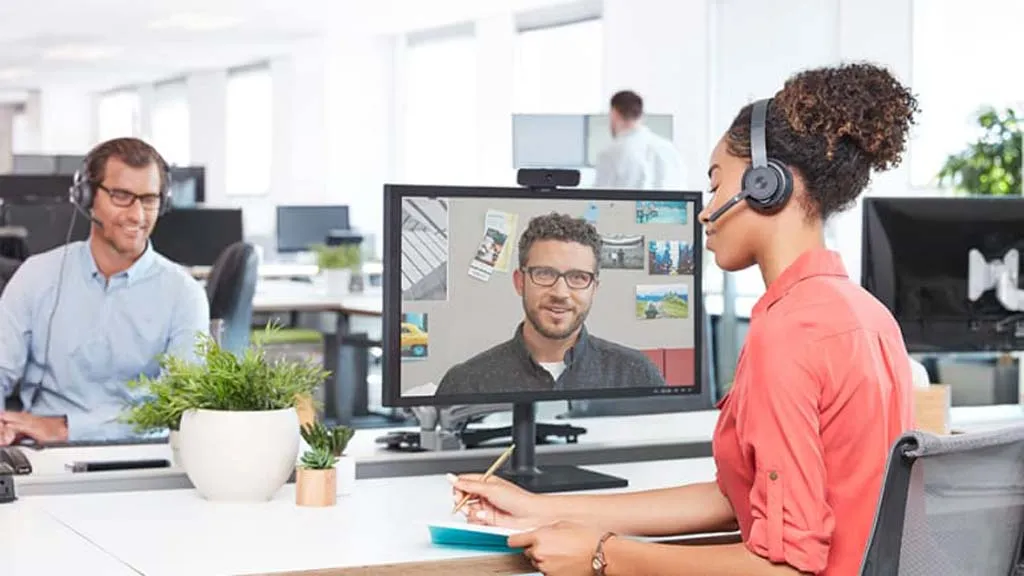
Work-from-home and hybrid work models are now permanent in many organizations. While employees often use basic laptops and earphones, a professional work-from-home video setup can significantly improve meeting quality and productivity.
A proper setup ensures clear audio, professional video quality, and a distraction-free meeting experience.
This guide explains how to build a reliable and professional home video conferencing setup.
1. Use a Professional Headset Instead of Earphones
Audio quality is the most important part of video meetings. Standard earphones or laptop microphones often produce unclear sound and background noise.
Problems with Basic Earphones
-
Background noise
-
Low voice clarity
-
Echo issues
-
Unstable microphone performance
Benefits of Professional Headsets
Professional headsets provide:
-
Noise-cancelling microphones
-
Clear voice pickup
-
Comfortable long-hour use
-
Reliable connectivity
A good headset ensures clear communication and fewer meeting interruptions.
Professional headsets are ideal for:
-
Customer support teams
-
Sales professionals
-
Remote employees
-
Managers attending frequent meetings
2. Improve Camera Quality
Laptop cameras often produce average video quality and poor framing.
Common Problems
-
Low image clarity
-
Poor lighting performance
-
Unprofessional appearance
Recommended Improvements
Using a dedicated webcam provides:
-
Better video quality
-
Wider viewing angle
-
Stable positioning
-
Professional appearance
Even a simple webcam upgrade can significantly improve meeting quality.
3. Proper Camera Positioning
Camera placement has a big impact on how you appear in meetings.
Best Practices
-
Position camera at eye level
-
Keep camera directly in front
-
Maintain natural eye contact
-
Avoid placing camera too low
Good positioning creates a more professional and engaging presence.
4. Improve Lighting Setup
Lighting has a major impact on video quality.
Common Problems
-
Dark face
-
Shadows
-
Backlight from windows
Simple Lighting Solutions
You can improve lighting with:
-
Desk lamps
-
Ring lights
-
Soft white lighting
-
Front-facing light source
Good lighting improves clarity and professionalism.
5. Choose the Right Background
Your background affects how professional you appear in meetings.
Recommended Backgrounds
-
Plain wall
-
Office desk setup
-
Bookshelf background
-
Clean workspace
Avoid
-
Cluttered rooms
-
Moving objects
-
Bright windows behind you
A clean background creates a professional meeting environment.
6. Stable Internet Connection
Video meetings require reliable internet connectivity.
Recommended Speed
-
Minimum: 10 Mbps
-
Recommended: 25 Mbps or higher
Best Practices
-
Use wired connection when possible
-
Keep router nearby
-
Avoid heavy downloads during meetings
Stable connectivity prevents interruptions.
7. Essential Work From Home Equipment
A professional home office setup usually includes:
-
Professional headset
-
HD webcam
-
Laptop or desktop
-
Stable internet
-
Proper lighting
These essentials create a complete professional video conferencing environment.
Benefits of a Professional Setup
A professional work-from-home setup provides:
-
Clear communication
-
Better meeting experience
-
Increased productivity
-
Professional appearance
Employees with proper setups participate more effectively in meetings and communicate more confidently with customers.
How Alphatech India Helps
Alphatech India provides genuine professional IT products for work-from-home and office use.
We offer:
-
Professional headsets
-
Video conferencing cameras
-
Meeting room solutions
-
Expert consultation
With 25+ years of IT experience, we help businesses choose reliable and genuine IT products.
Upgrade Your Work From Home Setup
A professional setup improves communication and creates a better meeting experience.
Contact Alphatech India to choose the right work-from-home video conferencing equipment.