

Boardroom vs Huddle Room vs Training Room

What Video Conferencing Setup Do You Actually Need?
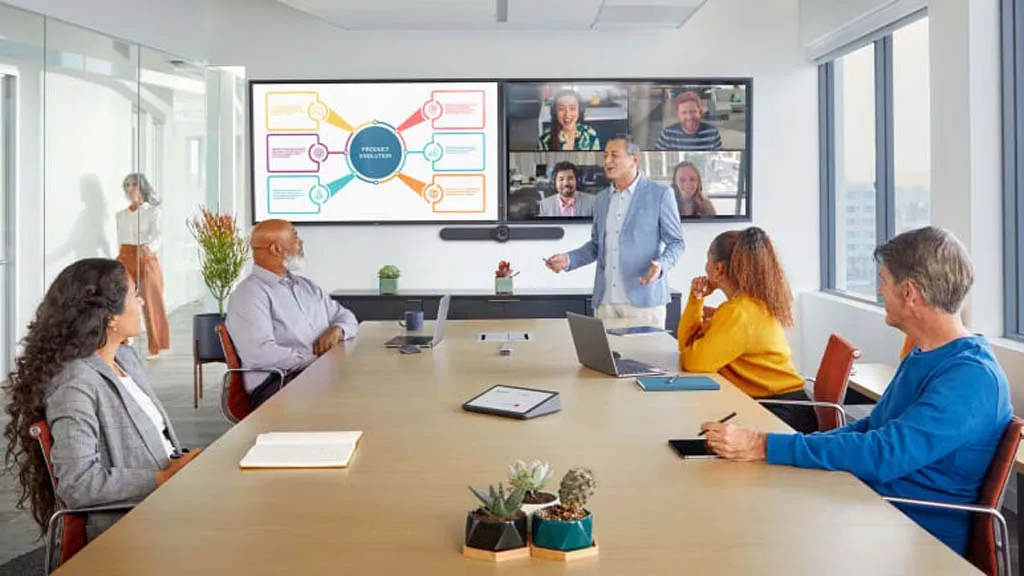
Not all meeting rooms require the same video conferencing equipment. One of the most common mistakes businesses make is installing identical video conferencing systems in every room, leading to unnecessary costs or poor performance.
The right video conferencing setup depends on room size, number of participants, and meeting purpose.
This guide explains how to choose the correct setup for Boardrooms, Huddle Rooms, and Training Rooms.
1. Huddle Rooms (2–5 People)
Huddle rooms are small meeting spaces used for quick discussions and online meetings.
These rooms are becoming common in modern offices where small teams collaborate frequently.
Typical Usage
-
Quick team meetings
-
Client calls
-
Internal discussions
-
Remote collaboration
Common Challenges
-
Limited space
-
Equipment clutter
-
Difficult cable management
Recommended Setup
A simple plug-and-play solution works best.
Typical components include:
-
USB conference camera
-
Built-in microphone and speaker
-
Small display or TV
-
Laptop connectivity
Key Features Needed
-
Wide-angle camera
-
Auto-framing
-
Noise reduction microphone
-
Easy installation
Huddle room systems should be simple, affordable, and easy to use.
2. Medium Meeting Rooms (6–10 People)
Medium-sized meeting rooms are used for regular team meetings and customer discussions.
These rooms require more advanced solutions than huddle rooms.
Typical Usage
-
Department meetings
-
Customer presentations
-
Vendor discussions
-
Weekly reviews
Common Challenges
-
Participants sitting far from camera
-
Uneven audio pickup
-
Screen sharing issues
Recommended Setup
Medium meeting rooms require dedicated conferencing equipment.
Typical components include:
-
Wide-angle conference camera
-
External microphones
-
Conference speakers
-
Large display
-
Dedicated video conferencing device (optional)
Key Features Needed
-
Auto-framing camera
-
Clear audio pickup across the room
-
Wireless presentation sharing
-
Stable connectivity
This setup provides a professional meeting experience for both internal and external participants.
3. Boardrooms (10+ People)
Boardrooms are designed for executive meetings and important business discussions.
These rooms require high-quality video conferencing systems to ensure clear communication and professional presentation.
Typical Usage
-
Management meetings
-
Strategic discussions
-
Client presentations
-
Partner meetings
Common Challenges
-
Large room coverage
-
Multiple speakers
-
Presentation visibility
-
Audio clarity
Recommended Setup
Boardrooms require a fully integrated solution.
Typical components include:
-
PTZ or AI-powered conference camera
-
Multiple microphones
-
Professional speakers
-
Dual displays (optional)
-
Dedicated conferencing system
Key Features Needed
-
Speaker tracking camera
-
Long-distance microphone pickup
-
Echo cancellation
-
Centralized controls
Boardroom systems should deliver premium meeting quality with minimal technical issues.
Comparison of Room Types
| Feature | Huddle Room | Meeting Room | Boardroom |
|---|---|---|---|
| Participants | 2–5 | 6–10 | 10+ |
| Camera Type | USB Camera | Wide-angle Camera | PTZ / AI Camera |
| Microphones | Built-in | External | Multiple Mics |
| Complexity | Low | Medium | High |
| Budget Range | Low | Medium | Higher |
Choosing the right setup avoids overspending while ensuring optimal performance.
Why Proper Planning Matters
A poorly planned video conferencing setup leads to:
-
Poor audio quality
-
Limited camera coverage
-
Difficult operation
-
Low employee adoption
A properly designed solution ensures:
-
Reliable meetings
-
Professional presentation
-
Long-term scalability
-
Better return on investment
How Alphatech India Helps
Alphatech India provides end-to-end video conferencing solutions tailored to different meeting room requirements.
Our services include:
-
Meeting room assessment
-
Solution design
-
Product recommendation
-
Installation and configuration
-
Ongoing support
With 25+ years of IT experience, we help organizations implement reliable video conferencing solutions.
Get the Right Setup for Your Meeting Rooms
Every meeting room has different requirements. Choosing the right solution improves meeting efficiency and user experience.
Contact Alphatech India today for a free consultation and meeting room assessment.